Software dev, tech, mind hacks and the occasional personal bit

Author: James Page 10 of 21

XML: When to attribute and when to element?

When defining an XML document, when are attributes most appropriate, and when are elements best? This is something that I’ve generally decided based more on intuition than a good set of rules.

Recently, at work, the need has arisen to define quite a few XML message payloads. I’ve also had the good fortune to work with Erik Doernenburg and we had a chat about attributes vs. elements. Largely thanks to Erik, here are some guidelines that could come in handy when making such a decision.

An attribute is best used to represent:

  • an id
  • metadata (eg, like rel and class in HTML)
  • a value from a small, closed set of values which interpreting programs rely on (eg, values that end up as application constants)

If none of the above apply, an element would likely be the best choice.
Green & Red Local Builds (adding colour to the local build process)

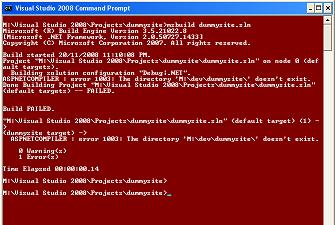
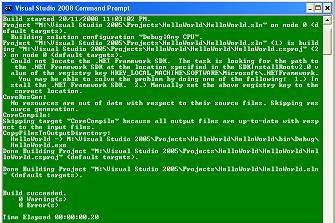
build.JPGWell, who doesn’t write tests and do continuous integration (CI) these days? Whether you use one of the many Cruise Control variants, or Team City or some other tool, you most likely get a handy colour coding of builds as either green or red (ie, good, or bad). But, you can take this a step further!

redbuild.JPGOften on .NET projects, we have a little batch file that we run before checking in (often with a pause at the end so it can be run from a shortcut), to confirm that no tests are broken locally. Well, it’s not much fun peering at the ugly Nant output (or whatever build system you use). Instead, it is quite easy to add a couple of lines to your batch file and change the colour of the console to bright Red or bright Green depending on the success of the local build. It is great for telling what the result was at a glance. I can’t claim credit the idea – it was something we used at EDI for our custom build system, but here’s some batch file code I whipped up which I can claim is all mine, every last GOTO of it! Enjoy 🙂

The following code uses NAnt, but you can replace it with MsBuild or any other build tool that returns a status code.

@echo off

color 07

tools\\nant\\NAnt.exe -buildfile:mybuild.build %*

IF ERRORLEVEL 1 goto RedBuild
IF ERRORLEVEL 0 goto GreenBuild

:RedBuild
color 4F
goto TheEnd

:GreenBuild
color 2F

:TheEnd
pause

Cook Islands Holiday

The Cook Islands are an awesome place to visit to chill out and relax. We stayed there for two weeks and had a great time, coming back much refreshed. We only visited Rarotonga, the largest island which has about 14,000 people, and a coast line of around 32km. Basically it is a volcanic island surrounded by a large, shallow reef with bath-water warm water and lots of little uninhabited motu (islands) to explore. Around the edge of the island are beaches and flat land where people live, usually in houses with large gardens, lots of coconut and mango trees, and vivid tropical plants. In the middle of the island are tall mountains covered in jungle. It is a great place for water-sports such as kayaking, fishing, swimming and snorkelling, and there’s also some fairly hard core walking tracks to explore in the jungle. Prices are reasonable, though food tends to be quite expensive as most of it comes in from New Zealand. The Cook Islanders maintain their culture very strongly and put on enjoyable performances and feasts that you can attend (often called “Island Nights”).

Cook Islands Fruits of Rarotonga

Cook Islands Water

Cook Islands Motu

Cook Islands Sunrise

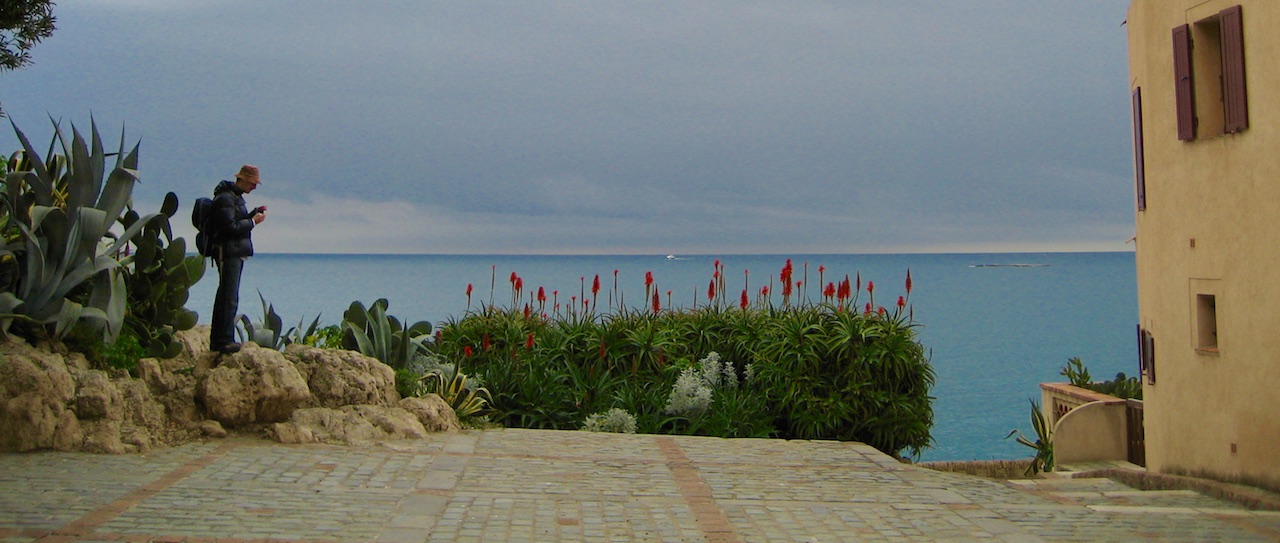
Cook Islands

Our Feet

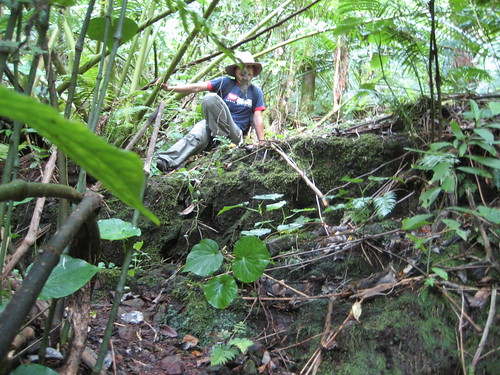
Cook Islands Jungle

Soosun of the Jungle

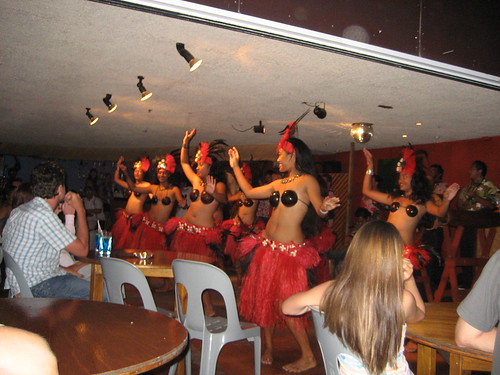
Cook Islands traditional dancing

Cook Islands beach at sunset

Also, more Cook Islands photos here.

Slides from ACS REST Talk

Thanks to everyone who came along to the REST talk at ACS tonight. Here are the slides. They are quite a big download (10mb) as a result of all the images. When you review them, you might want to turn on the “Notes” view as I’ve added some text to go along with the image based slides.

Sydney ALT.NET Launched & Ruby Slides

This evening we had the first Sydney Alt.Net meeting. It went really well. Our venue at the ThoughtWorks offices was pretty packed with about 35 interested people coming along. We started with a discussion of news in the .NET space, and then broke for food. After that we had my presentation on Ruby & Rails from a .NET perspective, followed by Richard’s presentation on Rhino Mocks. We ended with a retrospective to gather feedback and thoughts for future meetings. Thanks to everyone for coming along and making it such a great night! And also a big thank you to ThoughtWorks for the venue, food and drink.

Here’s the slides from “Ruby and Rails from a .NET perspective”. It’s a bit hard to give you a transcript of the demos but here is a taste of some of the ruby commands we looked at today.

Basic IronRuby Console demo

4+4
"hello".class
$friends = ["James", "Richard", "Bill"]
$friends.find_all { |f| f.include? "a" }
$friends.collect { |f| f.length }
"-" * 100
$person_type = Struct.new(:name, :age, :sex)
$j = person_type.new("James", 27, "m") 

Iron Ruby Calling WinForms

require 'System.Windows.Forms, Version=2.0.0.0, Culture=neutral, PublicKeyToken=b77a5c561934e089' 
Form = System::Windows::Forms::Form  
MessageBox = System::Windows::Forms::MessageBox  
Button = System::Windows::Forms::Button 

$b = Button.new
$b.text = "Hello Button"
$f = Form.new
$f.controls << $b
$f.show_dialog 

Simple Rails App Demo

rails myapp
ruby script/generate scaffold Person name:string age:integer
rake db:migrate
ruby script/server

First Sydney ALT.NET Meeting on 30 Sept

Exciting news! We now have an ALT.NET group in Sydney! Our first meeting is Tuesday 30 September. Meetings will be the last Tuesday of the month.

Rough agenda for the first meeting is:

6:00pm   Meet & Greet time and then Kick Off!
6:30pm   “Ruby, Rails and IronRuby from a .NET perspective” (me).
7:00pm   Break with food and drink
7:30pm   “Mocking with Rhino Mocks 3.5” (Richard Banks).
8:00pm   Wrap up & go home.

ThoughtWorks is sponsoring the event with a nice office location in the CBD, and also pizza and beer. So if you’re planning to come, please comment or send me or Richard Banks a mail to help us get enough food and drinks for everyone.

Address is:
Level 8, 51 Pitt Street
Sydney NSW 2000 Australia
[Map]

ALT.NET is about designing and building the best solutions possible. This means continuous improvement, retrospection and often reaching outside the mainstream, considering Open Source frameworks and tools, Agile methodologies and ideas from other language communities such as Ruby, Java and Haskell.

For more info about ALT.NET, check out our Sydney ALT.NET Blog, and the main ALT.NET wiki.

See you on the 30th!

REST and .NET talk at ACS on 1 October

I’ll be giving a talk at the ACS (in Sydney CBD) on 1 October, about REST, designing good RESTful systems and implementing them in .NET. It will be quite similar to the REST Patterns in .NET talk I gave at Tech Ed. For more information, please check out the blurb at the ACS site.

Slides from Tech Ed “Rest Patterns and .NET” Talk

Here’s the slides from “REST Patterns and .NET”. I’ve put some extra info in the notes on various slides, so suggest browsing with notes displayed.

You might also be interested in more information about the talk or the simple rest client with code I mentioned during the presentation.

Contact Form For Mephisto updated for Drax 0.8

Mephisto Drax (version 0.8) introduces breaking changes for plugins. I’ve just finished updating the contact / feedback form plugin. It’s now working fine and tests passing.

Installation instructions are the same as before except that the ‘contact_notifier’ has moved from the ‘lib’ directory to the ‘app’ directory. It still needs to be updated to include your destination email address for contact mails.

If you’re a Mephisto plug-in developer, you might be interested in checking out my post on migrating Mephisto plugins to Drax. It’s based on my experiences with the contact_form.

Migrating Mephisto Plugins to Drax 0.8

There have been some major changes to Mephisto in the latest release (0.8 Drax) that break existing plugins. If you’re interested in migrating your existing plugin(s) over to Drax, read on.

Repository Move
First thing to note is that the Mephisto code base has moved from SVN to github.

Plugin Architecture Changes
There is no longer a base class for Mephisto plugins. Instead, you create Mephisto plugins using Rails Engines. If you’re migrating a pre-Drax plugin to Drax and Rails engines, you’ll most likely need to:

  • Remove your plugin file – there’s no base class for it any more so you’ll get errors like: ‘superclass must be a Class (Module given) (TypeError)’
  • Move your routes into a ‘routes.rb’ file in your plugin root directory.
  • In your plugin root directory, create an ‘app’ directory, with ‘views’, ‘models’ and ‘controllers’ sub-directories. Move your code files into the appropriate folders in the ‘app’ directory. These will be auto-loaded.
  • Remove various lines in your init.rb which manually add your plugin file directories to the load paths, if you have these.
  • If you inherit from the ApplicationController, add ‘unloadable‘ to your controller class. This will fix errors in development mode like ‘A copy of ApplicationController has been removed from the module tree but is still active!’
  • An example
    You can have a look at my contact_form plugin code. Revision 18 is before Drax and engines and uses the old approach. Revisions 19 and later are using Rails engines and will work with Drax.

    UPDATE: Latest code at GitHub
    http://github.com/jcrisp/mephisto_contact_form/tree/master

Page 10 of 21

Powered by WordPress & Theme by Anders Norén