James Crisp

Software dev, tech, mind hacks and the occasional personal bit

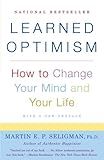
“Learned Optimism” by Martin Seligman

Learned Optimism: How to Change Your Mind and Your Life is an interesting mix of a psychological treatise and a self-help book. Unlike many self-help books, this book is written by somebody with clear qualifications in the area. The author, Martin Seligman, is a professor of psychology at the University of Pennsylvania and a past president of the American Psychological Association. The concepts in the book were derived from well-designed studies of people and animals and were written up in reputable journals including Science.

The first part of the book focuses on the recent history of psychology and explains Seligman’s research into learned helplessness and his later shift into researching optimism. He describes multiple studies performed and the results, and how they were disputed by proponents of other theories. The most memorable study he describes was designed to show learned helplessness using dogs. The experiment used three dogs. The first was placed in a box that continued to give the dog electric shocks until it pressed a bar. The second dog was placed in a box that continued to give it electric shocks until the first dog pressed the bar in the other box. The third dog sat in a box with no electric shocks. In the final stage of the experiment, all three dogs were placed in boxes which gave electric shocks until the dogs jumped over to the other side of a partition. Across a large number of repetitions, the common behaviour was that the first dog quickly jumped over the partition and escaped the shock. The second dog (with learned helplessness) just lay on the bottom of the box being shocked. The third dog (the control) jumped over the partition and escaped as well. Similar experiments were performed with people and annoying sounds with similar results. Seligman also found that a small proportion of people and dogs did not give up and seemed immune to learned hopelessness. This later became the focus of his research into optimism.

An interesting observation made in the book is that previously, people used to have faith and trust in their community, church, country and government and this provided support in times of personal failure. However, in recent times, these supports are no longer present or as strong for many people. With rising work hours etc, community and neighbours are much less important than they were previously. Religion has declined and many people do not go to church in the western world. Governments have been caught out in lies and corruption (eg, Nixon, Howard). Faith in country has been eroded by globalisation and wars like Vietnam and Iraq. Simultaneously, marketing and consumer culture has focussed on elevating the importance of the self, personal choice and success. In this environment, where self is all important, and the supports of previous generations no longer apply, personal failure is far more debilitating and depressing than it has ever been before.

Later in the book, Seligman explains that everyone, when they have a set back or failure, are stopped in their tracks at least briefly. However, optimists recover faster and are able to act again sooner due to the way they explain the failure to themselves. When something bad happens to an optimist, they expect that the bad thing will be short lived (temporary), was caused by someone else (external) and only affects a partial area of their life (specific). Pessimists are the opposite. They expect bad things to go on for ever (permanent), were caused by them (personal) and will affect their whole life (pervasive). The opposite applies for each cognitive style as well – optimists see good things as permanent, personal and pervasive. Pessimists see good things as temporary, external and specific. Seligman also mentions that turning a thought over and over in one’s mind (rumination), with a pessimistic explanatory style leads to a magnification of the negative impact of the thought (often a factor in depression).

There are also a number of psychological tests in the book that aim to measure optimism. Variations on these were used successfully for selection of sales people who had to make cold calls at a large insurance company (MET Life). A high level of optimism meant that the sales people were able to keep on going despite multiple rejections.

In the last section of the book, Seligman talks about ways to dispute one’s internal dialogue and explain the set backs in life in less self-damaging ways (ie, temporary, external and specific). He suggests that your internal voice should not necessarily be given any more credence than an external voice as it can often be biased. He recommends disputing internal dialog with evidence, offering alternate explanations and analysing the implications. His other suggestion is to postpone thinking about the problem by distraction or writing it down and setting a time to think on it further.

Seligman finishes by discussing when optimism or pessimism is most appropriate. His theory is that optimism is generally a beneficial outlook as it allows one to be proactive and productive in the face of failure, to lead and to inspire and encourage others. However, his studies showed that mild pessimists had a more realistic world view than optimists. Hence in life critical situations, certain types of advisory and assurance roles, mild pessimism and the resulting realism was a better mindset to employ.

Overall, there are a lot of interesting ideas in the book. After reading it, I now think a lot more about my internal dialogue and pay more attention to the way I explain good and bad events to myself. I did find that the last part of the book about “Changing from Pessimism to Optimism” was a bit repetitive as it covers the same ground multiple times with emphasis on different areas such as relationships, work and teaching children. Although I found the historical information and descriptions of studies well written, convincing and interesting, I would have preferred a few less in the interests of concision. These small complaints aside, I would highly recommend reading this book, especially if you find yourself ruminating often on the difficulties in your life rather than enjoying the good parts and taking action.

Review: “Deploying Rails Applications” by Ezra Zygmuntowicz et al.

Deploying Rails Applications: A Step-by-Step Guide by Ezra Zygmuntowicz, Bruce Tate and Clinton Begin is a good read, if a little dated. It was published in May 2008, and you can see that things have moved on a little in the Rails world since then. None the less, quite a lot of the information is still relevant and useful.

The book covers some basic Rails and version control concerns at the start, then rapidly launches into chapters devoted to Rails hosting options available from shared hosts to virtual and dedicated servers. The advice given is good and is in line with my experiences. Unix configuration is given in depth which would be very handy if you had not set up a server before. Next is a good discussion of Capistrano and automating deployments. The examples all use subversion. However, these days I expect the majority of Rails source code is pulled with Git. There is also a chapter on managing mongrels and setting up monitoring solutions. This is still relevant if you want to use mongrels, however these days Passenger is probably the best choice, and it does not have such complex management and configuration requirements. The scaling out chapter is useful and pulls together handy information including details on MySql replication/clustering. There’s a chapter on deploying on Windows and also some suggestions around performance and profiling.

I haven’t come across another book that brings together a structured collection of useful information to help you move from running rails locally to having a cluster of scalable production servers and the automated deployment process required to support it. Despite being too old to cover Git and Passenger, I’d still recommend having a read of this book if you’re at the stage of planning to launch a Rails site or looking to scale your VPS up to a cluster.

Tribute to Jeanie

Nanna in her youth

My grandmother, Jeanie Crisp passed away at 7am on Wed, 15 July 2009 after 30 days in hospital. I miss her very much.

Her funeral service will be held on Monday (20 July) at the Macquarie Park Crematorium, Camellia Chapel at 2:30pm.

Nanna at Christmas

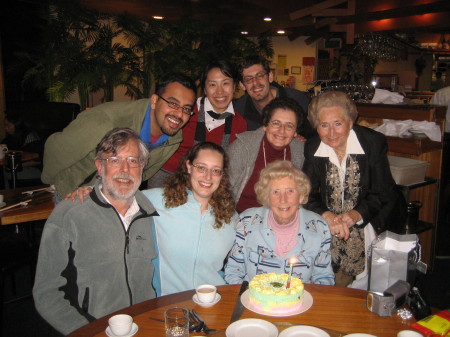
Nanna’s birthday

New Zealand Holiday ’09

Soosun and I had a lovely week in New Zealand, and great weather. We visited the North Island, landing in Auckland. We drove straight to Rotorua, arriving in time for dinner. The next day, we visited White Island, the most volcanic area in the Southern Hemisphere. Pretty amazing, had to wear gas masks. Steam, acid, sulphur and bubbling pools everywhere!

IMG_6843

IMG_6812

IMG_6848

IMG_6836

Then on to the Tongariro Crossing, probably the best bushwalk I have ever done – 19kms of amazing scenery, steep climbs, volcanic craters, lakes and the “Mount Doom” volcano from the Lord of the Rings. Although it took all day, it was not a walk that ever left you bored – so much variety, ending finally with rainforest.

IMG_7110

IMG_7104

IMG_7058

IMG_7048

IMG_7157

We went adventure caving in Waitomo (the Black Abyss), which started with tight abseil down a chimney, swimming and sloshing through wet caves in a wetsuit and floating on tires, some tight squeezes and we finally got back to the surface climbing up another chimney. Great fun!

BWR2-14-04-09-2pm-Corin-Brydie 006

More New Zealand photos here.

Wing Chun Notes – Striking, Rolling & “Party” Counter Arm Grabs

Step in and strike at the first sign of movement of your combatant. Do not wait for their strike. Do no over-extend your body. Especially if they are bigger than you, ensure you are close enough to be in your optimal range. Maintain structure. Strike and continue to control, keep them off balance and cramped as you follow up. Your attack is your best defense and gives you the advantage.

When rolling, imagine your arms are around a witches hat – wide bit at your body, small end is your hands. Imagine your arm and hands are drilling into your partner’s chest. Also, when you come down from bong sau to pierce, this should be going forwards too. It is a strike and your partner will need to be defending against it with the arm doing the fook sau.

The “party” counter arm grab using elbow over (left hand grabbed by right, or right hand grabbed by left) ends with drawing the opponent’s hand towards your body. Imagine bringing your elbow to your ribs (this avoids bending or leaving stance).

The “party” counter arm grab using wrist and fingers pointing down (left hand grabbed by left or right hand grabbed by right) starts by moving around the force the opponent is placing on you (circular move, often around and up) and ends pointing your wrist and fingers towards the ground (where you want your opponent to be forced to go).

Linux VirtualBox vs Windows for Rails Dev

So yes, everyone has heard that Mac OS X and TextMate is the epitome of Rails development, and that it is so awesome that it brings tears of joy to developers eyes, &c. However, for those of us who either don’t have a Mac, or get to work on client provided hardware (often running Windows), there are a few options available.

Developing on Windows XP, with InstantRails is workable. It is easy to get everything you need and have your apps up and running quickly. However, performance is, well, quite frankly, terrible for anything you do on the command line. Mainly, this bites when running tests, doing migrations, generating files etc. Performance running Mongrel is good enough for development.

What about Cygwin? Subjectively, I found it provided similar speed to Windows Ruby/Rails.

So this brings us to virtualisation. Recently, I’ve been testing out VirtualBox running Ubuntu on top of Windows XP. This has had surprisingly good results. On the same machine, the virtual Ubuntu running Rails tasks has about 4 times (!!!) faster performance, even though it has less memory and system resources!

Here are some stats to give you and idea of the advantage.

Machine is a 2.4ghz quad core, 4gig of memory running Windows XP. Using VirtualBox 2.1.4 for virtualized Ubuntu Intrepid 64 bit, with 1.5gig of memory allocated. Figures are in seconds and approximate (taken with a wrist watch).

  generate scaffold db:migrate with no changes run tests for medium sized rails app
Windows XP & Instant Rails 7 7 25
VirtualBox Ubuntu on same Windows XP 1.5 1.5 6

Some of these commands / tests rely on hitting a MySQL database. However, I’m interested in overall development speed for both platforms, not in Ruby speed in particular, so I think it is fair game to include these in the results.

So if you want to do Rails Dev on Windows, I highly recommend trying a virtual machine running Linux!

Vim with find file for Rails (like TextMate)

In a fit of TextMate jealousy, several months ago, I scoured the web for a way to get find-file functionality info my favourite Ruby/Rails editor, vim. I was very happy to find that Jamis Buck had developed an aweseome plugin do to this. It is a little fiddly to install, but worth the trouble. Here’s some simplified steps to get you going.

  • Install Jamis’s ruby gem
    sudo gem install jamis-fuzzy_file_finder --source=http://gems.github.com
  • Download this fuzzyfinder script and pop it in your ‘~/.vim/plugin’ directory. Note that the most recent versions of this script are incompatible with Jamis’s plugin.
  • Grab the latest version of ‘fuzzyfinder_textmate.vim’ from http://github.com/jamis/fuzzyfinder_textmate/tree/master and pop it in your ‘~/.vim/plugin’ directory

Then, if you want to have a similar sort of light-weight Rails ‘IDE’ I enjoy coding with, see my config files below:

.vimrc

source $VIMRUNTIME/vimrc_example.vim
behave xterm
set nu
set tabstop=2
set shiftwidth=2
set softtabstop=2
set ai
set expandtab
set smarttab
let g:rubycomplete_rails = 1

map f :FuzzyFinderTextMate<CR>
map n :tabnew<CR>
map c :tabclose<CR>
map m :tabnext<CR>

let g:fuzzy_ignore = "*.svn"
let g:fuzzy_ignore = "*.swp"
let g:fuzzy_ignore = "*.jpg"
let g:fuzzy_ignore = "*.gif"
let g:fuzzy_ignore = "*~"

set nobackup

.gvimrc

source ~/.vimrc
set selectmode=mouse
set columns=100
set lines=50

In this set up, there are no chords etc. Instead, when not in edit mode, ‘n’ will open a new tab. ‘f’ will let you find a new file to open in the current tab. ‘c’ will close the current tab and ‘m’ will move between tabs. So in a normal workflow, you might decide to swap the file in the current tab for a new one (simply press ‘f’), or if you need another file open, hit ‘n’ for new tab, and then ‘f’ to load the relevant file. My text description doesn’t do it justice, but I find this works very well to get you to the file you want quickly, and let you have the files you’re interested in open all at the same time.

One last note, remember to start vim/gVim in the root of your rails directory.

Happy Vimming 🙂

UPDATE
These files are now available from my github dotfiles repository, including the gem inside of the vim/gems_required directory.

Slides from REST Talk at St George Bank

Thanks very much to Nigel for inviting me to present on REST at St George Bank in Kogarah, and to ThoughtWorks for the time in the middle of the day to give the talk. It was a fun session and the people attending asked quite a number of good questions. Here are the slides. Please note that they are about 10mb (thanks to all the images). There’s some extra information in the “Notes” pane as well.

An Island to Oneself by Tom Neale

While in the Cook Islands, we went to the National Museum and it was there that I first heard about Tom Neale and saw reference to him on a census of island populations from the 1950s (“Suvarov: population 1” with a footnote saying “Tom Neale”!). He was the only inhabitant of Suvarov, an atoll in the Cook Islands, having done what many people only dream of. He left civilisation and moved to a beautiful, deserted island in the Pacific, replete with coconut trees, jungle, and an azure lagoon. Not only that, but he survived and prospered there and wrote an amazing autobiography of the time, called “An Island to Oneself”.

I tried to borrow “An Island to Oneself” from the National Library on Rarotonga (there is only one library on Rarotonga!) but unfortunately all copies were out. So, I turned to Amazon (the long tail poster child), and was very happy to find they could source me a copy. I don’t want to spoil the tale, but recommend you have a read if you have ever thought about what life would be like on a desert island, surviving only by your own wit and skills, hundreds of miles from civilisation!

UPDATE (6 Jul 2016): Thanks to Don Hirst for this link to the full book online.

Review: RESTful PHP Web Services by Samisa Abeysinghe

Packt Publishing kindly sent me a copy of RESTful PHP Web Services by Samisa Abeysinghe to review. The book’s cover claims that it will help you “Learn the basic architectural concepts and steps through examples of consuming and creating RESTful web services in PHP”. The book succeeds in providing simple steps and examples of creating and consuming web services, but falls short on REST architectural concepts and design principles.

The book starts with a very brief introduction to the principles of REST, and rapidly moves on to a discussion of PHP tools frameworks. The introduction misses some important REST / RESTful web service concepts such as hypermedia, application vs resource state and the relevance of utilising HTTP headers and status codes. Some of the information in the introduction is confusing. For example, on page 12, it says “Resources can have multiple representations that reflect different application states”. This does sound a little odd – resources can have multiple representations, for example, for different requested content types. Representations should reflect resource state, not application state. Also, the coverage of HTTP verbs is misleading, especially when POST and PUT are discussed.

The next couple of chapters discuss PHP support for HTTP, using libraries such as CURL, and XML parsing strategies. The author chooses realistic examples for code samples, such as Flickr and Yahoo Maps clients. The last example given is quite cool – using earthquake latitudes and longitudes from an Australian government site to plot points on Yahoo maps. The example code is generally simple and easy to follow. However, it would have been nice to see some sort of separation between view and data access logic.

The following chapter is a worked example of building RESTful services for a library lending books. It is a good example, and becomes the basis for most future chapters. The resource design and URLs are reasonable, although it may have been nice to have “loans” as resources in their own right. Using links between resources, rather than just relying on known URLs would also benefit the design.

Later chapters cover alternative frameworks such as Zend and WSO2 using the library lending system as an example for code samples. These chapters are useful as they give an idea how the frameworks look when put in practice. It does look as though PHP and frameworks still have significant limitations around routing flexibility from the examples (eg, the .php extension seems to mandatory in URLs). There is also a chapter on debugging with tips around tools and troubleshooting XML parsing issues.

The writing style is generally clear and easy to read. There are occasionally some odd turns of phrase, such as on page 10: “AJAX makes Web applications to become more interactive, faster, and more user-friendly”.

Overall, I would recommend this book to people wanting to write simple URI template based web services or clients in PHP, and also to people interested in getting an overview of libraries and frameworks currently available in the PHP ecosystem. To gain an understanding of the REST architectural constraints and designing good RESTful systems, I would recommend RESTful Web Services, and if you wanted to take it further, digging into Roy Fielding’s thesis and the HTTP 1.1 Spec.

Page 9 of 21

Powered by WordPress & Theme by Anders Norén